Combat Sound Design & Implementation
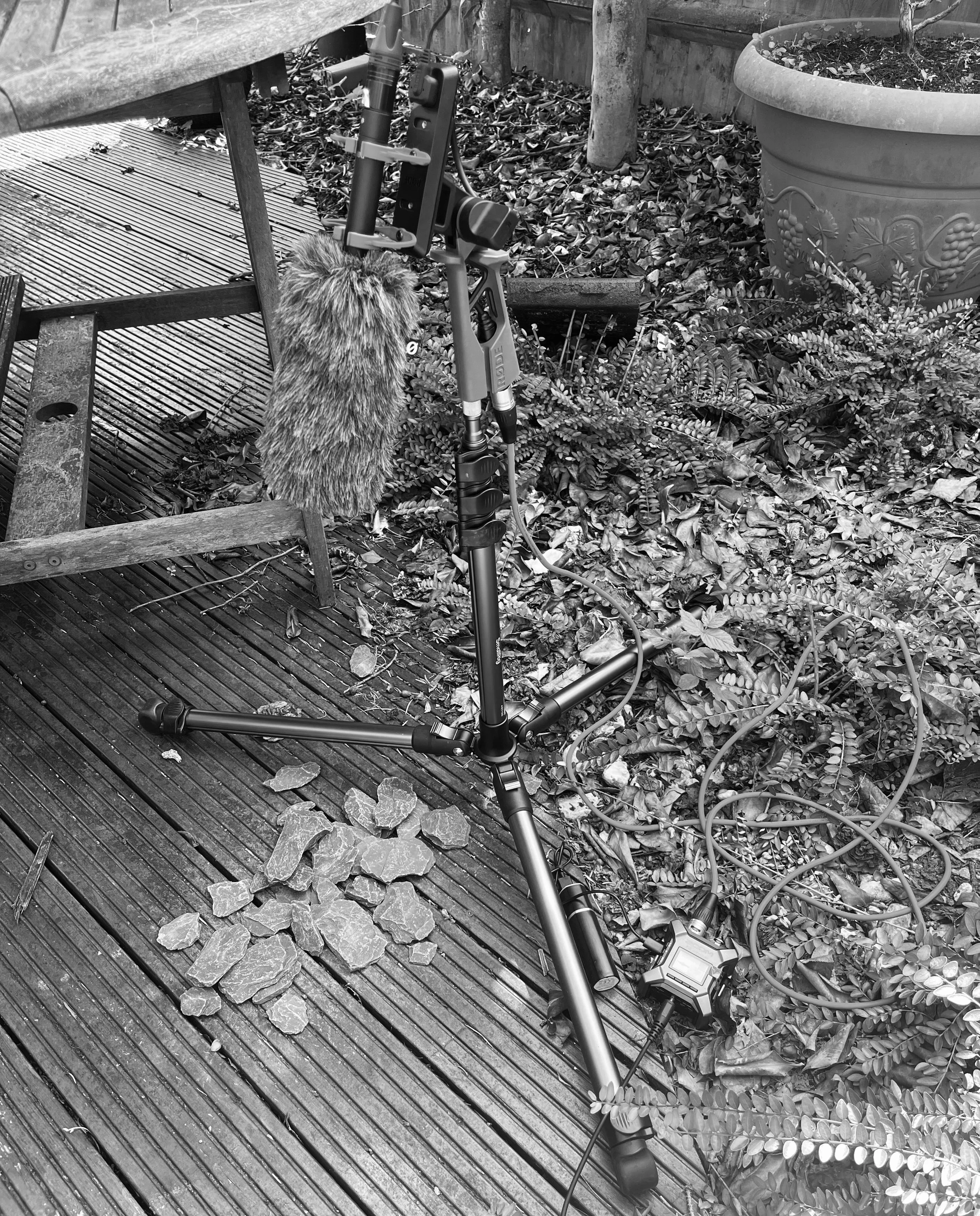
Here I set myself the challenge to further develop my sound design and implementation skills through real in-game combat mechanics I've been working on. What resulted is a simple combat audio pipeline with all sounds created organically from recording objects around my house with my NTG-5 shotgun microphone.
See the video below showing this in action and more information about how this was achieved:
Behind the Project
For this project, my goal was to advance my combat sound design skills within a playable game environment. I wanted to record all the source material myself, meaning every sound effect heard is completely original. I recorded items around my house and heavily processed them in Ableton before moving them into FMOD Studio for implementation.
Before recording, I sat down to really analyze the on-screen action: What materials could I record to recreate these textures, and how could I implement them in the most efficient way possible?
Building the Asset Library
I started by building a custom recording library using a Rode NTG-5. Knowing I needed a wide variety of combat sounds, I focused on a few key areas:
Weapons: I recorded various knives, slashes, and metal sheets/baking trays to capture the initial impacts, metallic rings, and fade-outs.
Movement & Armor: To capture the heavy player armor and the clacking of the skeleton enemies, I used the contents of toolboxes for metallic jingles, and wood and stones to recreate the hollow, shifting characteristics of bones.
Vocals: I recorded custom vocal one-shots for character damage and grunts.
In total, I built a foundation of about 31 raw recordings to work with.
Processing & Layering in Ableton
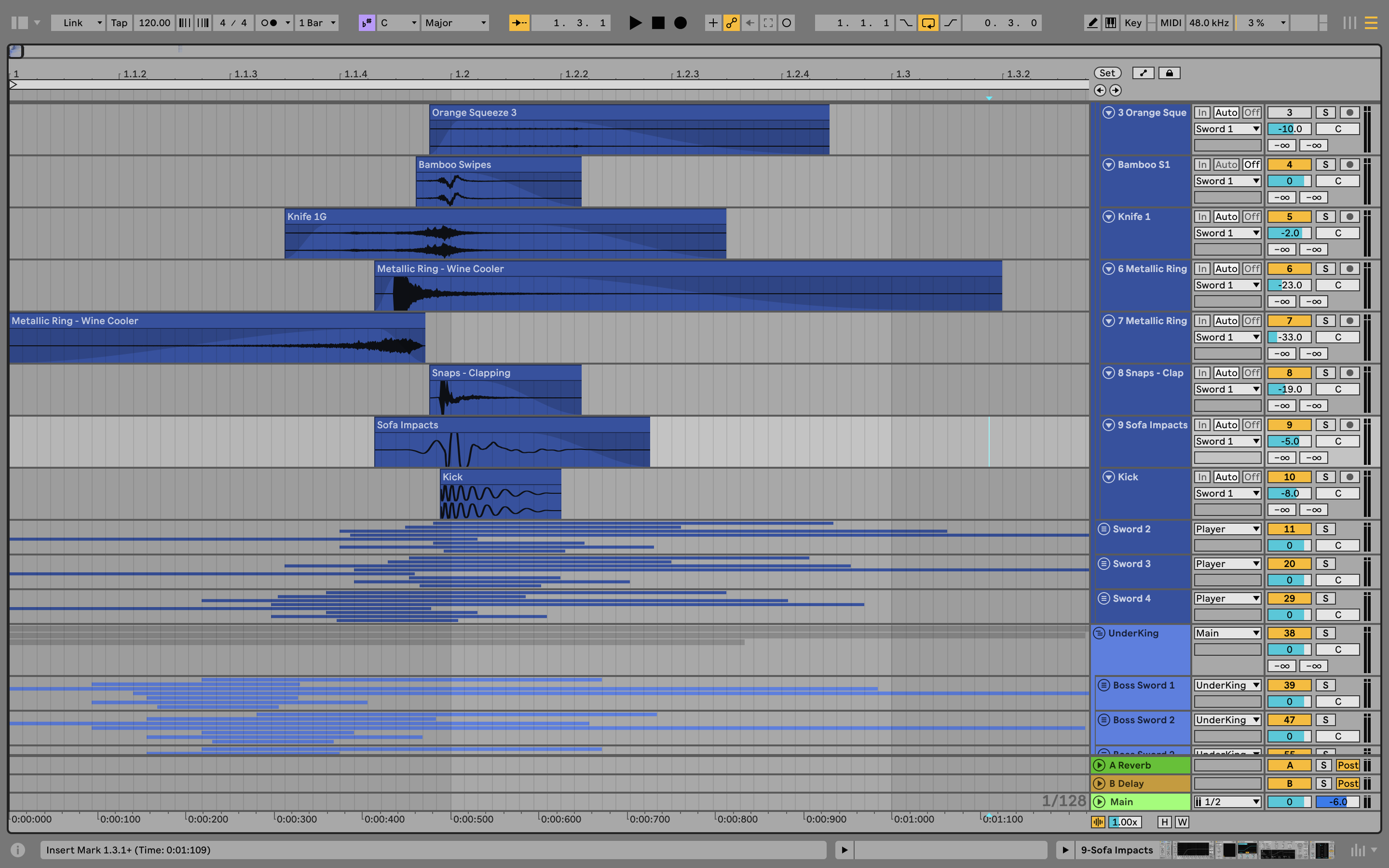
Processing these raw files taught me the massive importance of layering. It’s not just about creating the sound itself, but making sure it fills out the relevant frequency spectrum to give it the punch and power needed to bring the game to life.
The Sword Swings: These consist of around 7 distinct recordings synced together. It creates a hyper-realistic, forceful sound of a sharp blade cutting through the air—something you wouldn't necessarily hear in the real world, but adds immense immersion to a game.
The Boss Damage & Death: The boss taking damage utilized layers of rocks and stones being smashed together. For the boss's death animation, I recorded my own voice making multiple ghostly whimpers, resampled them, and used granular synthesis to create a haunting, hovering texture.
Implementation & Engine Logic
Implementing these sounds and making them feel authentic in Unity taught me a lot more than I thought I knew about engine logic.
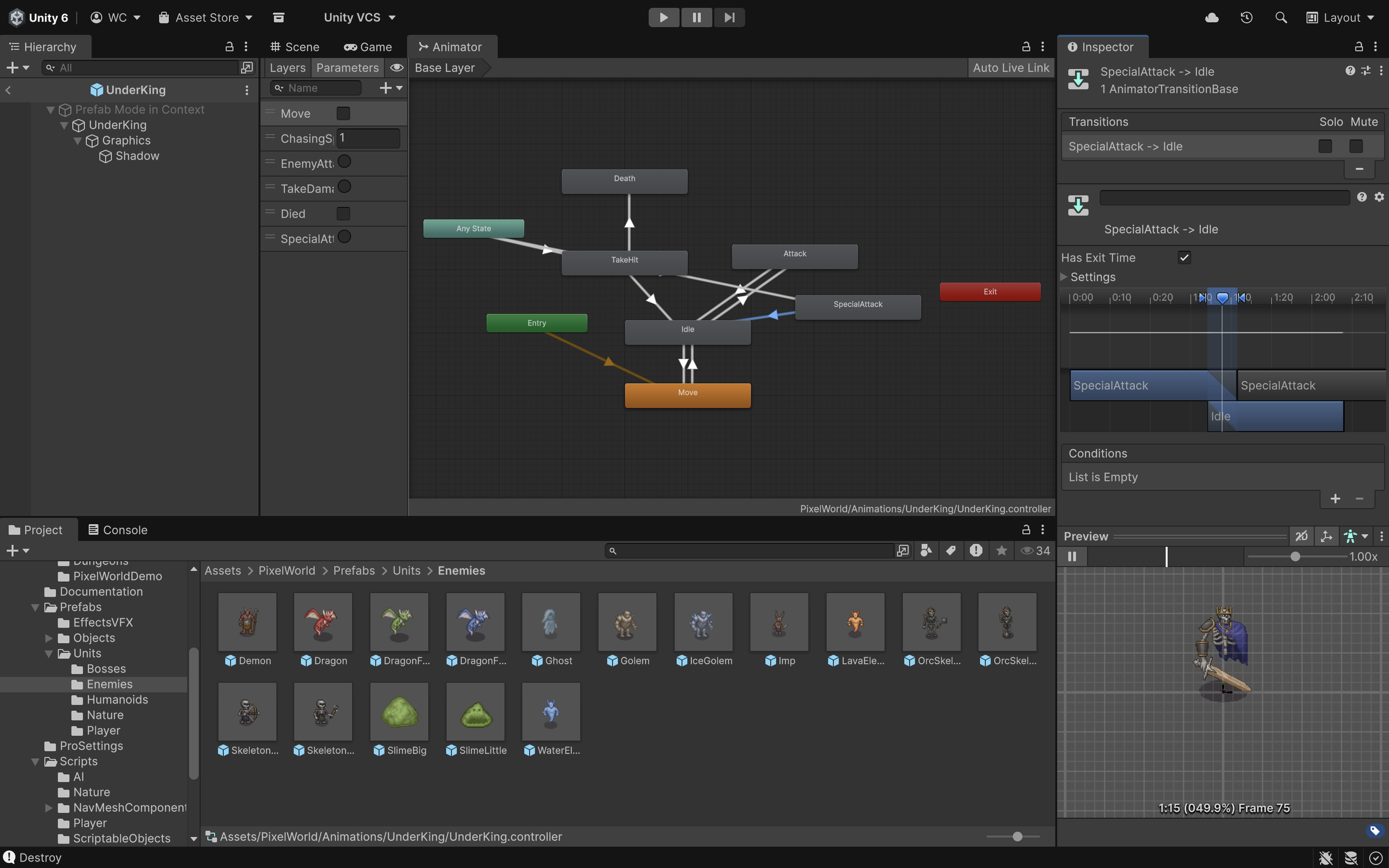
Animation Tagging: The majority of the sound effects were tied directly to animations. Because Unity defaults to only recognising the first FMOD emitter placed in the inspector, I wrote a custom script to string various one-shots together on the animation timeline.
AI State Triggers: I adapted the enemy AI behavior scripts to trigger audio based on real-time game events. For example, when a player walks within an enemy's sphere of influence, it triggers an alert FMOD event. This gives the player a clear audio cue that they’ve been spotted and an attack is imminent.
Dynamic Hover System: I developed a script for the boss’s hover movement so the audio would dynamically loop and shift based on velocity. It works in conjunction with an FMOD parameter, using gain automation to raise the volume when moving, lower it when idle, and kill the event entirely when the death behavior script triggers. This part was complicated, but a lot of fun to figure out.